
Microsoft is retiring SMS and voice MFA: here’s what you need to know
If your organization uses Microsoft Entra ID (formerly Azure AD) and relies on text messages or phone calls for multi-factor authentication (MFA), Microsoft just announced a major change that affects you, and the clock is already ticking.
What’s happening
Starting September 1, 2026, Microsoft is making passkeys the default authentication method in Entra ID. Any user currently set up for SMS or voice-based MFA will be automatically enrolled for passkeys
Then, on February 1, 2027, Microsoft will shut down its own SMS and voice delivery for MFA entirely. Organizations that still need SMS or voice will have to contract directly with a third-party telecom provider
Why Microsoft is doing this
SMS and voice MFA have done their job for years, but they share a weakness: they rely on shared secrets and channels that attackers can intercept, spoof, or socially engineer, think SIM swapping, phishing pages, and MFA fatigue attacks.
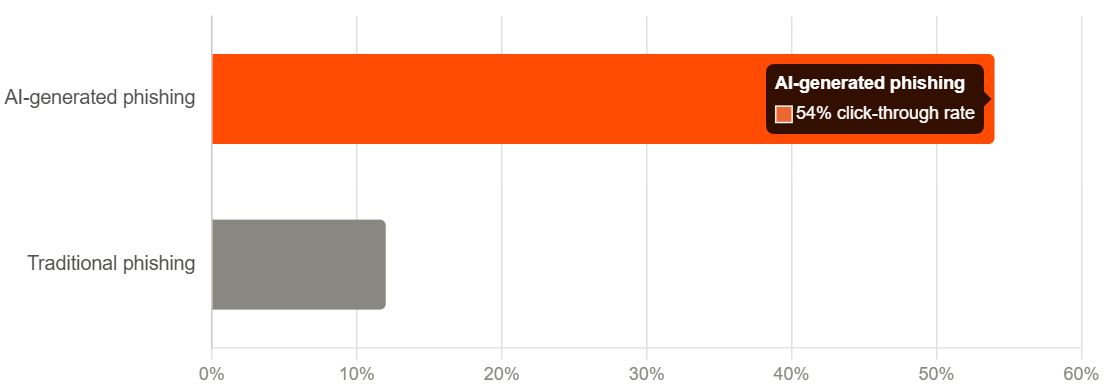
According to Microsoft’s own threat intelligence, AI-powered phishing campaigns are now hitting click-through rates as high as 54%, compared to roughly 12% for traditional phishing. That combination of cheap AI-generated attacks and phishable MFA is exactly what’s driving this move.
Passkeys, the simple version
Normally, logging in means typing a password, a secret you have to remember, and that anyone could steal followed by a second factor (MFA) which might be SMS or Voice. MFA can or could also be other things.
A passkey replaces that with a key made specially for you and one account.
When you sign up somewhere with a passkey, that site creates a lock, and your phone gets the one key that fits it.
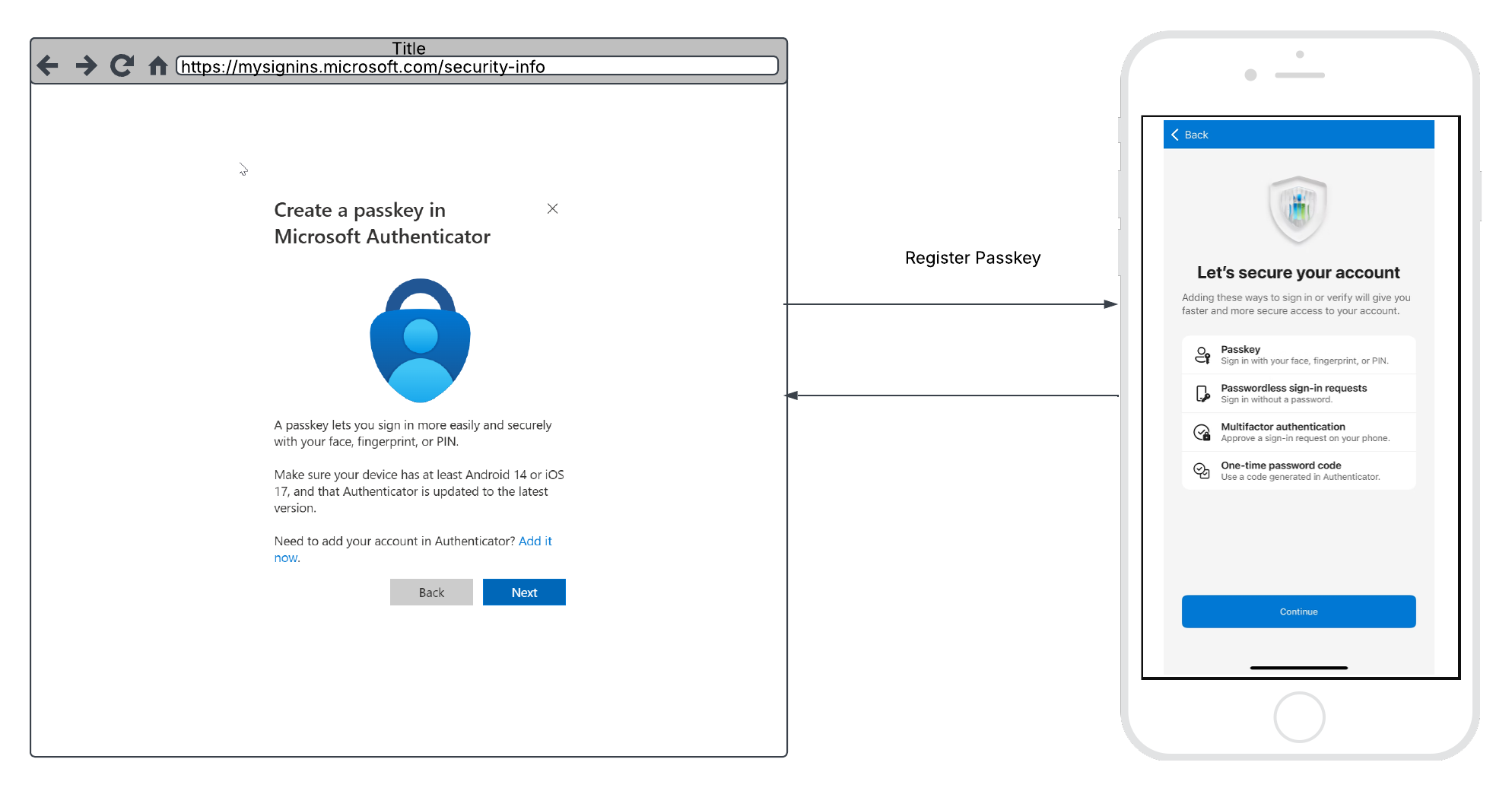
This key is unlocked by your fingerprint or face, but only ever works on that one account. It won’t fit anyone else’s account, and no other key fits yours, even if the other key also lives on your phone.
So when you log in, your phone just proves “I have the key that fits this exact lock”. and you’re in. No password to remember, guess, or steal.
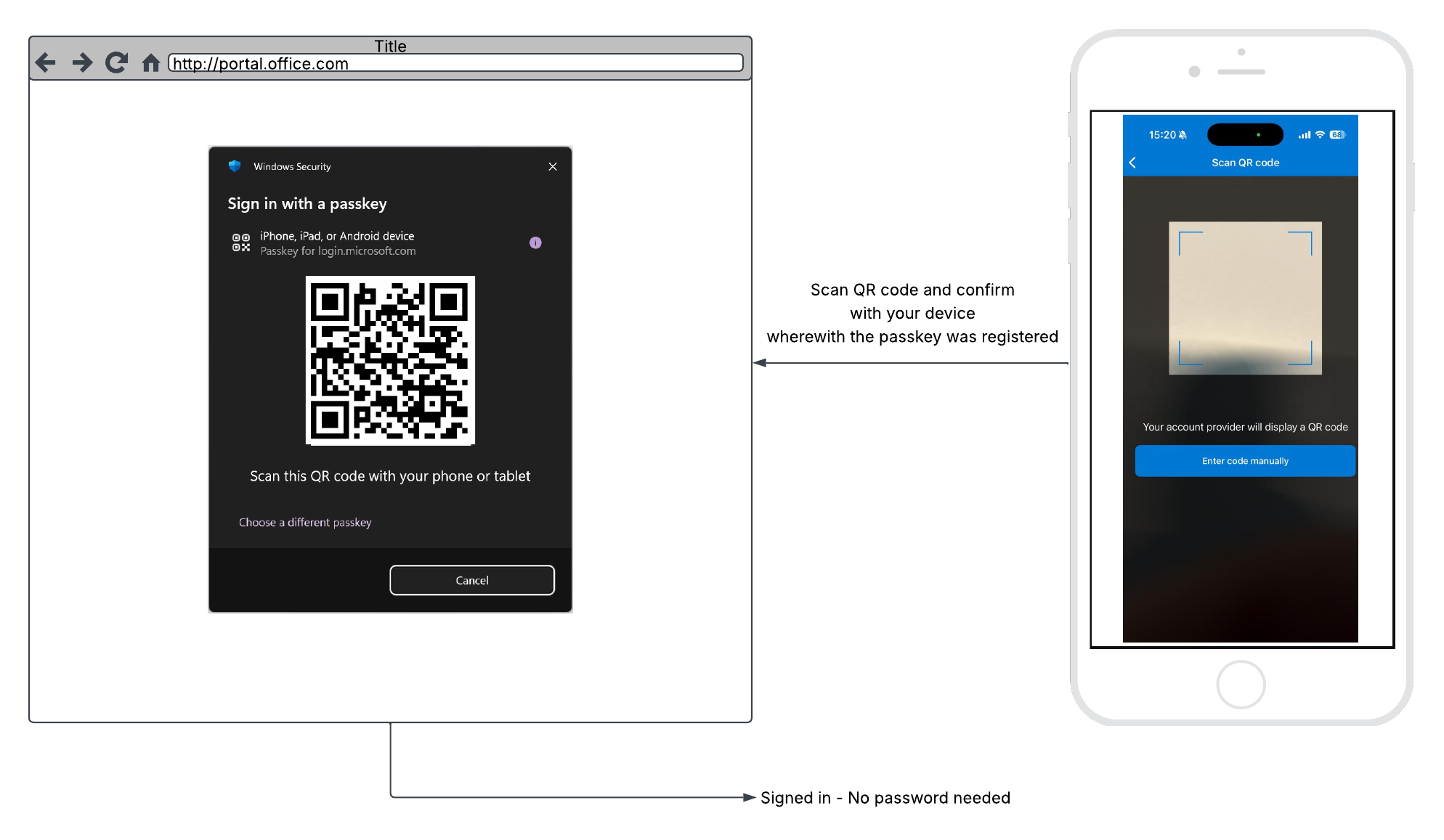
Why binding it to your account matters: even if a hacker breaks into a website’s database, all they find are locks, not keys. There’s nothing there they can steal and reuse to get into your account, or anyone else’s.
How can we help
Navigating this shift doesn’t have to fall entirely on your IT team. We can help you:
- Assess your current MFA footprint: identify exactly which users, groups, or apps still depend on SMS or voice.
- Plan and pilot your passkey rollout: choose the right mix of synced passkeys (like those in iCloud Keychain or Google Password Manager) and device-bound passkeys (Microsoft Authenticator, Windows Hello, FIDO2 security keys) for your workforce.
- Run a guided registration campaign so users register passkeys smoothly instead of getting caught off guard by a prompt.
- Evaluate whether you actually still need SMS/voice, and if so, help you select and configure a supported telecom provider through the Microsoft Security Store.
- Handle user communications and training so the transition feels like an upgrade, not a disruption.
If you’d like a quick assessment of where your organization stands today, and a plan to be ready well before the February 2027 deadline, reach out and let’s talk.
Other NEWS

From IT support to Service Delivery Manager: get to know Dwino

Microsoft is retiring SMS and voice MFA: here’s what you need to know